How to Unlock the Call of Duty: Mobile Watch in Warzone and Modern Warfare
Unlock the Call of Duty: Mobile watch in Warzone and Modern Warfare by linking your Activision account; it may take up to 72 hours to appear.
The Call of Duty franchise has long used free-to-play experiences to keep its community connected. Warzone and Call of Duty: Mobile stand out as two of the most successful experiments in that space. When a new season of Modern Warfare arrived, Activision added a variety of cosmetic items, including a special Call of Duty: Mobile watch that could be equipped in Warzone and Modern Warfare multiplayer. The item became a small but desirable reward for players who linked their accounts.
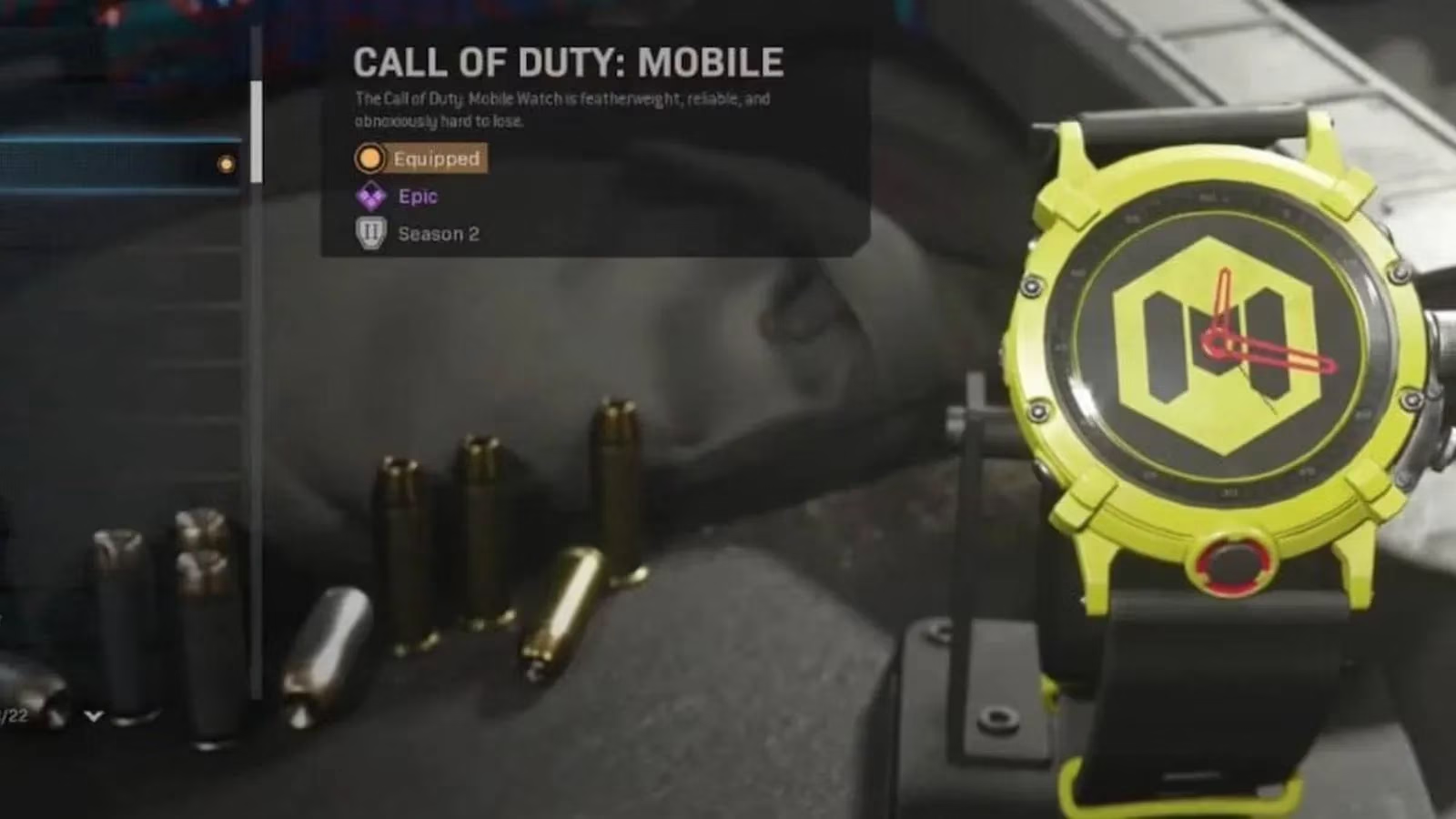
Players hoping to obtain this watch only needed to follow a few simple steps.
The unlock process
For players who did not already have a Call of Duty: Mobile account, the first task was to create one through Activision's official account system. They also needed to download Call of Duty: Mobile from their phone's app store, whether on iOS or Android. Once the account existed, the next step involved linking it to the same profile used for Modern Warfare, Warzone, or both.

The full sequence can be summarized as follows:
| Step | Action | Detail |
|---|---|---|
| 1 | Create a CoD: Mobile account | Use the Activision account system and download the mobile game from the app store |
| 2 | Link accounts | Log into CoD: Mobile using the same profile as Warzone or Modern Warfare |
| 3 | Launch a linked title | Open Warzone or Modern Warfare and check the inventory |
| 4 | Wait if necessary | The watch may take up to 72 hours to appear |
After the account linking was complete, players would log into Warzone or Modern Warfare. The new watch would be waiting in their inventory. Even if the item was visible immediately in the "Watch Select" menu, it could sometimes take up to 72 hours to fully register. Players were advised to check both the inventory and the watch customization section before assuming something went wrong.
Why cosmetics like this matter
On the surface, a wristwatch might seem like a minor cosmetic item. However, promotions like this serve a larger purpose. Activision used the Call of Duty: Mobile watch as an incentive for players to engage with more than one title in the franchise. By linking accounts across platforms, players could be rewarded for exploring Call of Duty: Mobile while still enjoying Warzone or Modern Warfare.
This cross-promotion strategy makes sense for a franchise as large as Call of Duty. Warzone, Modern Warfare, and Call of Duty: Mobile each appeal to different play styles and audiences. A shared reward system encourages players to try new experiences without feeling like they are abandoning their primary game. It also gives dedicated fans extra value for their time.
-
✅ Encourages players to explore multiple Call of Duty titles
-
✅ Creates a connected ecosystem across console, PC, and mobile
-
✅ Adds collectible value for players who enjoy cosmetics
-
✅ Provides a low-effort reward for a simple account-linking task
The Call of Duty franchise has remained in a strong position with Warzone, Modern Warfare, and Call of Duty: Mobile. Even in 2026, the franchise continues to leverage free-to-play experiences and seasonal content to keep players engaged. While specific promotions may come and go, the underlying idea of rewarding cross-title participation remains a smart part of Activision's approach. Players who enjoy collecting legacy items often appreciate these limited cosmetics, and they can still be a topic of interest for completionists.
Tips for players returning in 2026
For players revisiting older Call of Duty content or curious about account-linked rewards, there are a few practical things to keep in mind. First, always make sure the same Activision account is used across every platform. If accounts are not linked correctly, rewards may not appear. Second, allow up to 72 hours for a promotional item to show up, as server delays can happen. Third, check the "Watch Select" menu rather than only looking at the main weapon or operator customization screen.
A quick breakdown of useful habits:
-
🎮 Use one Activision account across console, PC, and mobile
-
⏳ Wait up to 72 hours before contacting support
-
🔍 Check the Watch Select menu and loadout customization tabs
-
📱 Download Call of Duty: Mobile from official app stores only
These practices help avoid confusion when participating in any future cross-game promotion. Whether a player is chasing a mobile-themed watch or another limited cosmetic, the basics are the same: create an account, link platforms, and launch the target game.
Final thoughts
The Call of Duty: Mobile watch is a good example of how a small cosmetic reward can connect different parts of a franchise. It may not change gameplay, but it offers a sense of exclusivity and completion. In the modern Call of Duty landscape, such items are part of the broader seasonal and promotional system that keeps players engaged across titles.
For players who value cosmetics and cross-title progression, understanding these steps is useful. The Call of Duty franchise continues to find ways to reward its community, and this watch remains a small but memorable piece of that legacy.
Comments